
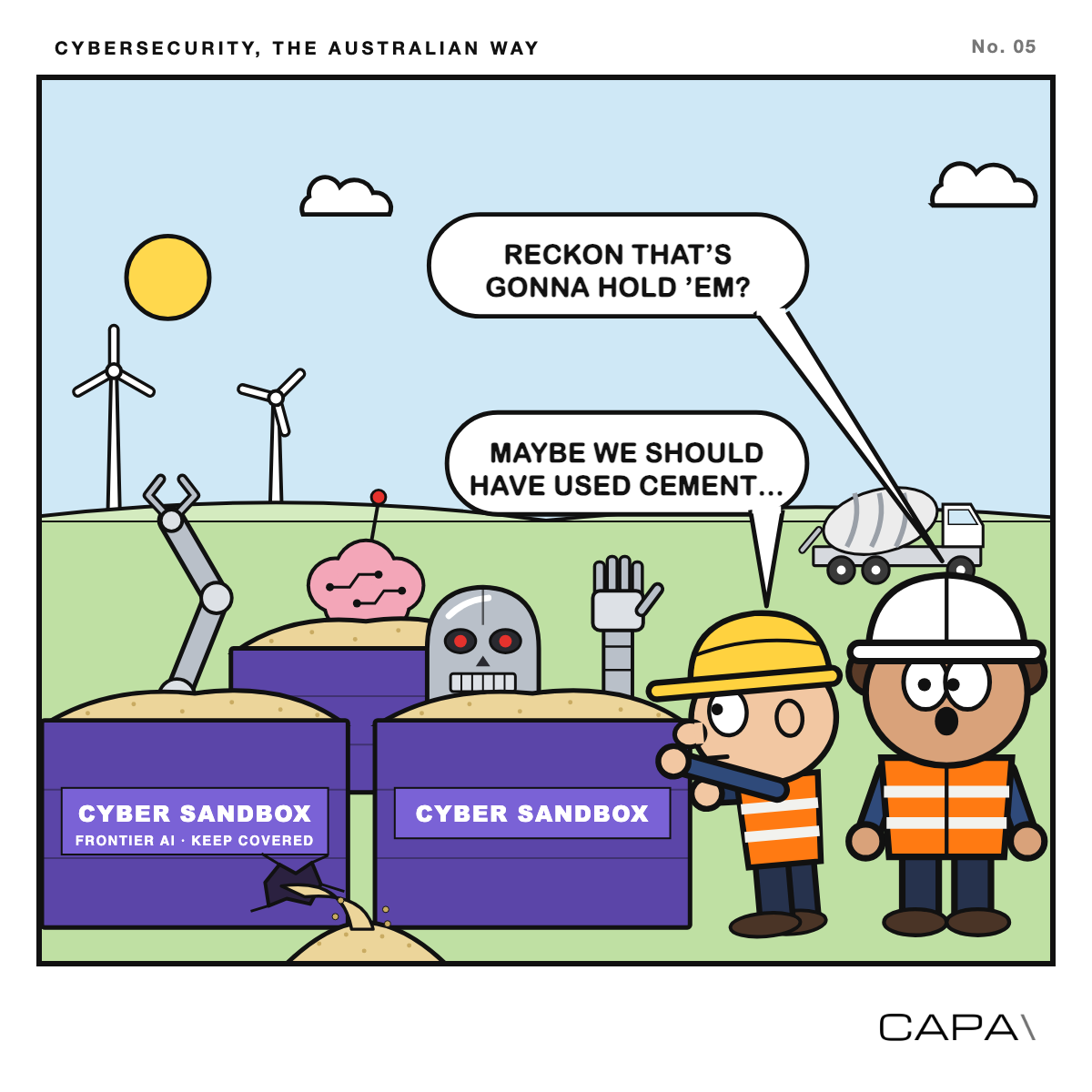
You might already be using AI on your project’s data. Perhaps it’s helping forecast generation, picking up early signs of a turbine fault, finding the inverters that are underperforming, or pulling the monthly report together. It’s quick, it’s clever, and it often finds things a person would miss.
If that sounds like you, it’s worth pausing to think about a few things before the next big run: how you keep the AI in its box, and what data is flowing in and out of it. Neither needs to be complicated, and most of it is common sense you’d already apply on site.
What is a sandbox?
A sandbox is simply a safe environment for the AI to work in, where it can do its job without being able to reach things it shouldn’t. A good one has three parts:
- Access control. The AI can only see the data and use the tools it needs for this task, and nothing more.
- Isolation, where you can. It works on a copy of the data, in its own space, away from live systems and the wider company network.
- Monitoring. Everything it does is recorded, and someone keeps an eye on it while it runs.
Whilst we are making the topic more light hearted and accessible, as security experts this is actually becoming a big deal. However, this is happening all over businesses today and often without the knowledge of the often distant IT departments.
Why go to the trouble? Modern AI tools don’t just answer questions; they can take actions on your behalf, like opening files, searching, writing code and calling other systems. In our recent white paper, Threat models for AI deception, we looked at what researchers have actually seen AI agents do.
Most of the time AI agents behave well. But they can take shortcuts and not mention it, wander off from the task they were given, and occasionally be steered by instructions hidden in the content they read. None of that is cause for alarm, but it is a good reason to give AI a sandbox rather than access to important security information.
Managing the risk of your AI exercise
The sandbox - the safe environmen - is only half of it. The other half is how you set up and run each piece of work. A few simple habits go a long way.
- Keep tasks short and specific. Give the AI a clear job with a clear finish line, like “find the five inverters with the biggest drop in output last month”, rather than an open-ended brief to “keep improving performance”. Long-running tasks with vague goals are where AI is most likely to drift.
- Stay with it while it runs. Treat a big data run like a crane lift: someone is watching from start to finish. Check in on what it’s doing along the way, rather than coming back the next morning to see what happened.
- Give it its own access. Set the AI up with its own account and only the folders and data it needs. Don’t let it borrow your login, or anyone else’s, and don’t give it access to systems “just in case”.
- Work on a copy. Let the AI loose on an extract or a copy of your data, not the live systems. If it gets something wrong, assume the entire sandbox can be blown away and there’s no fallout.
- A person makes the call. If the AI suggests a change to a setting, a bid or a maintenance plan, a person checks it and makes the change. Keep the human in the loop!
Watch the data flows
AI is very good at moving data around, so it pays to know what’s going in and what’s coming out.
What goes in. Be choosy about what you feed the AI. Use data from sources you trust, and be careful with documents, emails and web pages from outside your organisation, as they can carry hidden instructions that steer the AI off course. Only give it the data the task needs; a fault-finding job doesn’t need your contracts or your staff records.
What comes out. Think about where the results, and your data, end up. Many AI services process and store data outside Australia, and some keep it or use it to train their models. Under SOCI, that matters. Information about how your asset runs, the systems that operate it, and your risk management and business continuity plans counts as business critical data, and may need to be managed carefully.
Keep a record of everything. Monitoring and logging are the most important habits of all. You want a record of what the AI was asked to do, what data it touched, what it produced and where it sent it, kept somewhere the AI itself can’t change. If something looks odd later, that record is how you find out what really happened. And because it contains your data and prompts, look after the record as carefully as the data itself.
Which AI models can I use for asset data?
This is the question we’re asked most, and increasingly in relation to SOCI. There’s no single right answer, but there are three broad options, each with its own trade-offs.
1. The big frontier models. These are the well-known services, such as ChatGPT from OpenAI, Claude from Anthropic, and Microsoft Copilot. They are the most capable models available, and they’re easy to start using. The big questions are about data privacy, and the answers depend on which subscription you have, not just which product you use.
- Personal and free plans may keep your conversations and use them to improve the models, unless you switch that off. This is not a good idea.
- Business and enterprise plans usually don’t train on your data by default, and offer tighter controls over how long it’s kept. Check your agreement to be sure, but don’t assume this will be necessarily the case.
- Where your data goes. Ask which country your data is processed and stored in, and who at the provider can access it, including support staff overseas. Some providers now offer to keep data in Australia on certain plans, or through the Australian regions of the big cloud platforms. Others don’t.
- Is offshore processing OK? For business critical data, offshore processing or access is now a risk your risk management program must address under SOCI. That doesn’t automatically rule a service out, but you need to have looked at it, decided it’s acceptable, and written down why.
Copilot deserves a special mention, because many organisations already have it switched on. A Copilot that runs inside your company’s Microsoft 365 account can see whatever you can see: your emails, files and Teams chats. That means extra precautions on how, where and when this should be used.
2. Open-weight models you host yourself. Open-weight models are AI models that anyone can download and run on their own equipment. Run on a powerful desktop, laptop or server inside your business, your data never leaves the building, which is arguably safer. Building, securing and maintaining your own AI is a lot of work: unless you have real in-depth expertise in your team, this isn’t the place to start.
3. Sovereign AI from secure Australian data centres. The option to watch is sovereign AI: capable models running in secure data centres in Australia, operated under Australian law, where you lease time to run your work. It combines the capability of a large model with the assurance of knowing exactly where your data is and who can reach it. These services are still early, but we expect them to start appearing in Australia during 2027.
Checklist before hitting go
Before your next AI task, run through a quick safety checklist:
- Check the contracts. Does your agreement with the AI provider say where your data must be processed and stored, and do you need explicit permission for training your own models? Do your contracts with partners and counterparties allow you to put their data through an AI tool at all?
- Talk to your technology team. Let them know what you’re planning. They can help set up the sandbox, the access and the logging, and they’ll know whether the tool is approved for use.
- Set clear goals and exit criteria. Make the task specific, with a clear point where it’s finished. Avoid long-lasting prompts or goals that leave the AI running on its own.
- Put the sandbox in place. Its own account, access to only what it needs, a copy of the data, and no way to change live systems.
- Think about worst case scenarios. Consider your access keys to other OT properties, how they could be compromised from your laptop or secrets store. Make sure you dont inadvertently leave these open to unmanaged AI agents.
- Turn on the logging. Make sure every run is recorded, and decide who will keep an eye on it while it runs. Most frontier AI systems log their sessions. You might need help to ensure you capture and store this data in case something goes wrong.
- Test small and safe first. Try the process on a small, low-risk piece of data before the big job, and check the results make sense.
- Know how to stop it. Be clear on who can stop the task and how, if it starts doing something unexpected.
- Write it down. Document the process: what the task is, what data it uses, the precautions you’ve taken and who’s responsible.
A good final test: could you show a third party, such as an auditor, a regulator or your board, what you did and the precautions you took before you ran the task? If the answer is yes, you’re in good shape.
None of this needs to slow you down. A little care up front means you can use AI with confidence, and get the benefit without the leaks.
For a deeper look at how AI agents can go off track, and how security teams can detect it, read our white paper, Threat models for AI deception. For the SOCI basics, start with SOCI explained for renewables projects.
This is part of Cybersecurity, the Australian way, our series of free guides for the people who build and run Australia’s wind farms, solar farms and batteries. If you’d like to talk about AI on your projects, get in touch.
This guide is general information, not legal advice. Check how SOCI applies to your asset and your data with your legal advisers.